Best Options Trading Journal in 2026 (For Multi-Leg Traders)
Best Options Trading Journal in 2026 (For Multi-Leg Traders)
Most trading journals handle options like an afterthought. You can log a call or a put, maybe fill in a strike and expiration — and that’s it. No multi-leg support, no multiplier, no way to track a spread across three partial fills, no blended P&L calculation.
For options traders, that’s not a journal. That’s a notes app.
This guide covers what an options journal actually needs to do, and which tools come closest to doing it right.
Why options journaling is harder than stock journaling
A stock trade has two events: buy and sell. One entry, one exit, one P&L number. Even a complicated partial fill is just averaging.
Options trades are structurally different in ways that break most journals:
Multi-leg entries. An iron condor is four contracts opened simultaneously. A calendar spread is two contracts with different expirations. A covered call is a stock position and an options contract that need to be tracked together. Most journals have no concept of “legs” — they treat each contract as a separate trade, which destroys any meaningful P&L tracking.
Partial fills across time. You might open a vertical spread across two partial fills, then close it in three separate exits a week later. Your journal needs to match those executions into one trade and calculate your actual average entry, average exit, and realized P&L across all of them.
The multiplier. One options contract controls 100 shares. If your journal doesn’t factor in the multiplier, every P&L number is wrong by a factor of 100. This is surprisingly common.
Strike and expiration. These aren’t optional metadata — they define the trade. Two calls on the same ticker with different strikes are completely different positions. A journal that lumps them together is useless for strategy-level analysis.
Time decay and assignment risk. Unlike stocks, options have a hard expiration. Your journal needs to handle expiration events, assignment, and exercise — not just manual buy/sell entries.
Most trading journals weren’t built with any of this in mind. They were built for stock traders who also sometimes trade options. The result is a tool that works fine for equities and breaks down the moment you try to log a spread.
What to look for in an options journal
Before the rankings, here’s what actually matters:
Multi-leg support. Can you log a two-leg spread as one trade? An iron condor as four legs? If not, your P&L tracking is broken from the start.
Automatic blended P&L. When you close a multi-leg position across multiple exits, the journal should calculate your net P&L automatically — not require you to do the math.
Strike, expiration, multiplier fields. These should be standard, not hidden in a notes field.
Strategy-level analytics. You want to know your win rate on iron condors specifically, not just “options.” A good journal lets you filter and analyze by setup type or strategy.
Contract type recognition. Calls vs. puts, long vs. short, defined risk vs. undefined — these distinctions should be trackable and filterable.
The best options trading journals in 2026
1. StonkJournal — Best Overall for Options Traders
Free tier: Unlimited trades. Full multi-leg support. No credit card.
StonkJournal is the only journal on this list that handles multi-leg options properly on the free plan. The architecture was built around how options traders actually trade — not bolted on afterward.
Here’s what it actually supports:
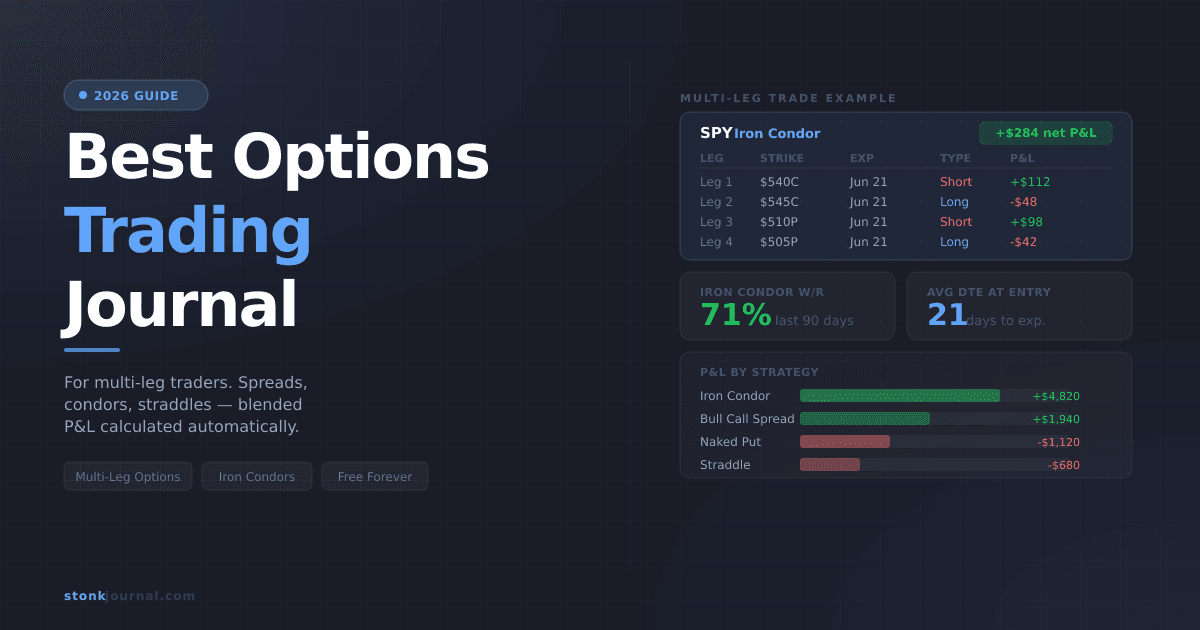
Multi-leg entries and exits. Scale into a position across three partial fills, close it in two separate exits — StonkJournal tracks each execution leg, matches them to the parent trade, and auto-calculates your blended entry price, blended exit price, and net realized P&L. Spreads, condors, butterflies, straddles, and naked options are all handled as single unified trades.
Strike, expiration, multiplier. All three are standard fields on every options trade. The multiplier is factored into every P&L calculation automatically — no manual math required.
Options-specific filtering. Filter your trade history by contract type (call/put), direction (long/short), strategy, or any combination. Find all your losing iron condors in Q1, or compare your bull call spread win rate vs. your naked put win rate, with a few clicks.
Compliance with risk rules. Define a maximum risk per trade as a percentage of account value. StonkJournal evaluates every options trade against your defined rules and gives it a compliance badge — flagging the trades where you violated your own sizing rules.
The Pro plan ($10/month) adds AI Coach, which surfaces options-specific behavioral patterns from your actual trade history: which strategies are costing you money, whether you’re closing winners too early on spreads, how your win rate changes with days-to-expiration at entry. Every insight links to the specific trades that generated it.
Best for: Active options traders who want multi-leg support, real analytics, and no subscription required to get started.
Verdict: The only journal where the free plan actually works for options traders.
2. Tradervue — Best for Single-Leg Options with Community
Free tier: 30 trades/month. Basic stats.
Tradervue has solid options support and has been a go-to for options traders for years. Single-leg options are handled well — strike, expiration, and P&L are tracked cleanly. The community sharing feature is genuinely useful: you can make specific trades public and get feedback from other traders.
The limitations: multi-leg support is basic and requires manual setup. The free tier caps at 30 trades per month — if you’re trading spreads daily, you’ll hit that in the first week. Paid plans start at $29.95/month.
Best for: Options traders who trade less frequently and value community feedback.
3. TradeZella — Best Premium Interface
Free tier: None. $39/month.
TradeZella has a polished UI and handles options reasonably well — strikes, expirations, and basic multi-leg support are included. The onboarding is smooth and the broker import works well.
The problem is the price. At $39/month with no free tier, you’re paying nearly 4x StonkJournal Pro for options support that doesn’t go deeper. There’s no AI behavioral analysis. For options-specific analytics, the tools don’t justify the premium.
Best for: Traders who want a premium interface and can afford the subscription.
4. Tradersync — Best Broker Import Library
Free tier: 10 trades/month cap. $29.95/month for full access.
Tradersync’s main strength is broker connectivity — it integrates with more brokers than almost any other journal. If you’re importing options trades from a less common broker, Tradersync is worth checking. Multi-leg options support exists but is basic compared to StonkJournal.
At $29.95/month with no meaningful free tier for active traders, the value proposition for options traders specifically is hard to justify.
Best for: Traders on a specific broker not supported elsewhere who trade options occasionally.
5. Edgewonk — Best for Statistical Depth
No free tier. $169 one-time purchase.
Edgewonk is desktop software with deep statistical analysis — R-multiples, system quality number, and detailed psychological journaling. Options support exists, but multi-leg handling is limited and the desktop-only format makes real-time logging friction-heavy.
Best for: Systematic traders who want the deepest statistical toolkit and trade options infrequently.
Comparison table
Journal | Multi-leg options | Strike / Expiry / Multiplier | Free plan | Price (paid) |
|---|---|---|---|---|
StonkJournal | Full support | All three, free | Unlimited trades | $10/mo |
Tradervue | Basic | Yes | 30 trades/mo | $29.95/mo |
TradeZella | Basic | Yes | None | $39/mo |
Tradersync | Basic | Yes | 10 trades/mo | $29.95/mo |
Edgewonk | Limited | Partial | None | $169 one-time |
What to actually log on every options trade
Beyond the basics (symbol, direction, entry/exit, P&L), options trades need a few additional fields to be analytically useful:
Strategy type — vertical spread, iron condor, naked put, covered call, etc. This is the most important field for strategy-level analysis. Your iron condor win rate and your naked put win rate are different numbers that require different responses.
Days to expiration (DTE) at entry — the single most useful options-specific metric for strategy calibration. Most options traders have a sweet spot for DTE. Your journal will tell you what yours is.
IV rank or IV percentile at entry — if you’re selling premium, IV rank at entry is the key context variable. Logging it consistently lets you filter your trades by market conditions.
Max profit and max loss — for defined-risk strategies, logging the theoretical max values lets you calculate your actual P&L as a percentage of max profit and max loss, which is more useful than raw dollar figures.
Reason for exit — profit target hit, stop hit, time stop (DTE), adjustment, assignment. This one field tells you more about your discipline than almost anything else.
The bottom line
Options trading is more complex than stock trading in every dimension that matters for journaling: multi-leg entries, partial fills, multipliers, expiration events. Most journals don’t handle this complexity — they add options fields to a stock-first architecture and call it done.
If you trade options seriously, the journal you use should be built for options traders. StonkJournal’s multi-leg options journal is the only one on this list where the free plan genuinely handles multi-leg options — full strike, expiration, multiplier, blended P&L across legs, and compliance with your own risk rules. No trade limits, no credit card required.
Start there. If you outgrow it, you’ll know exactly what you need.
Frequently Asked Questions
Can free trading journals handle multi-leg options?
Most can’t. StonkJournal is the exception — full multi-leg support (spreads, condors, butterflies, straddles) is included on the free plan with no trade limits.
What’s the best journal for iron condors?
StonkJournal. It tracks all four legs as a single trade, calculates blended entry and exit automatically, and lets you filter and analyze your iron condor performance specifically.
Do options journals track the multiplier automatically?
StonkJournal does. Many others require you to enter it manually or don’t factor it in at all, which makes every P&L number wrong by 100x.
What should I log for every options trade?
At minimum: symbol, strategy type, all legs (strike, expiration, direction), entry and exit per leg, P&L, and DTE at entry. StonkJournal prompts for all of these.
Is StonkJournal free for options traders?
Yes. Unlimited options trades, full multi-leg support, all analytics — free forever, no credit card.

STONK JOURNAL
Not financial advice. Past performance is not indicative of future snacks. Built by traders who lost money first.